

Documentation Index
Fetch the complete documentation index at: https://docs.flagmint.com/llms.txt
Use this file to discover all available pages before exploring further.
Get started in five steps
Go from zero to evaluating feature flags in your application.Create an account and project
Sign up at app.flagmint.com and create your first project. Every project comes with Live and Staging environments out of the box.
Generate an API key
Each API key is scoped to a specific environment within your project. This means you’ll typically have separate keys for staging and production.From the dashboard, navigate to Settings and click Api keys.Fill in the details: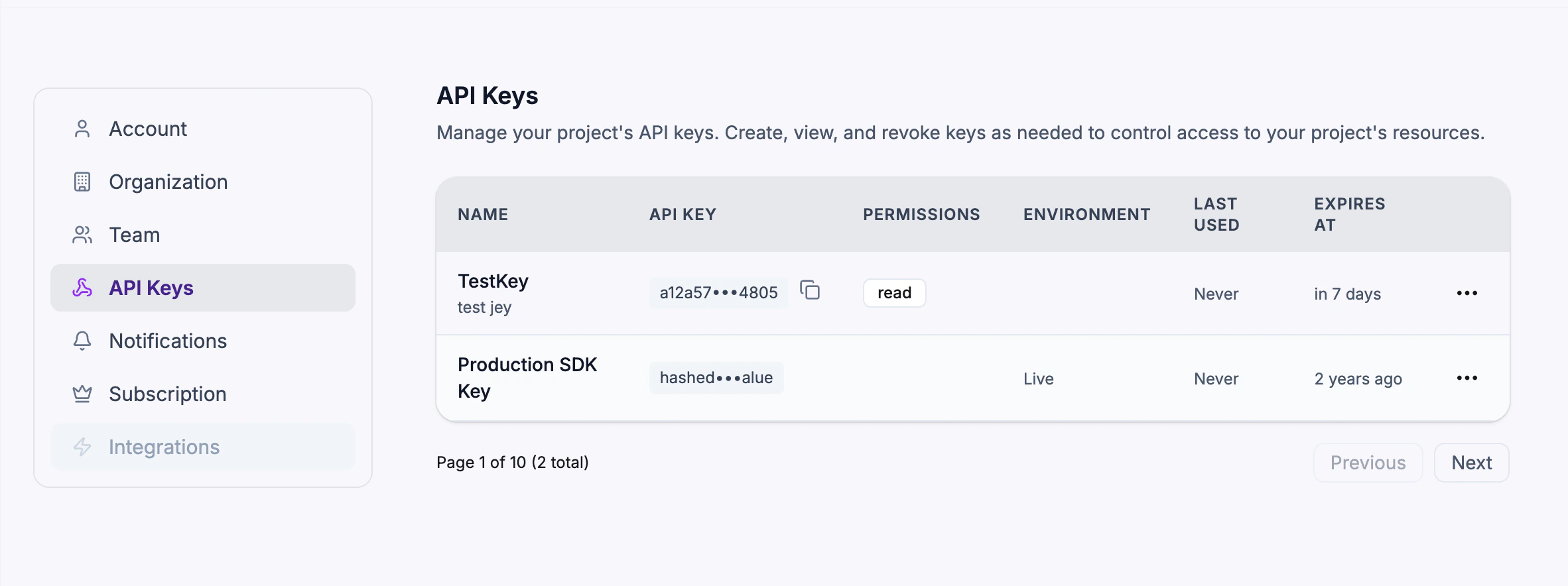
- Name — A memorable label (e.g. “Production Server”, “CI/CD Pipeline”)
- Environment — Select which environment this key authenticates against (e.g. Live or Staging)
- Permissions — Choose
read,write, oradmindepending on the use case - Expires At — Optionally set an expiration date. Leave empty for keys that never expire.
Create your first flag
From the dashboard, click + New Flag and choose a template:
- Kill Switch — Boolean flag that’s on by default. Flip it off in an emergency.
- Gradual Rollout — Boolean flag that starts at 0% and increases over time.
- A/B Test — Multivariate flag for experiments.
Evaluate flags in your app
Initialize the SDK with the API key you generated in Step 2. The key determines which environment’s flags are returned:The SDK connects via WebSocket for real-time updates (with automatic long-polling fallback) and caches flags locally by default for offline resilience.
One API key per environment. Use your Staging key during development and your Live key in production. The SDK automatically receives the correct flag values for the environment the key is bound to.
React integration
For React apps, use thesubscribe() method to keep your UI in sync with flag changes:
Invite your team
Invite team members to collaborate on your feature flags. From the dashboard, navigate to Settings and add users by email. Team members can be assigned Editor or Viewer roles. Editors can create and modify flags, segments, and targeting rules. Viewers have read-only access to all project data.Managing API keys
API keys are managed from the Settings page. You can:- Generate new keys scoped to any environment with specific permissions
- View all active keys with masked values, permissions, environment, and last-used timestamps
- Revoke keys instantly — any application using the revoked key loses access immediately

Updating context after login
When your user logs in or their attributes change, update the evaluation context to get re-evaluated flags:Kill the feature
When something goes wrong, disable the flag instantly — either from the dashboard toggle or via the API:false).
What’s next
SDK Reference
Full SDK documentation — caching, transport modes, deferred initialization, and more.
Targeting Rules
Control who sees what with segments, custom rules, and rollouts.
Segments
Define reusable audiences for consistent targeting across flags.
Projects & Environments
Organize flags with per-environment configuration.